
LinkedIn Carousels: The Complete Guide for Coaches
 Bas Smeets8 min read
LinkedIn carousels get shared and saved more than any other post format. For coaches, they work best for frameworks, step-by-step processes, and before-and-after comparisons — content that people want to come back to.
A LinkedIn carousel is a multi-slide PDF that readers swipe through in their feed. They look different from text posts. They take more effort to make. And when done well, they consistently outperform text posts on saves and shares, which makes them worth understanding even if you do not plan to use them every week.
Why do LinkedIn carousels work so well?
Three reasons. First, they stop the scroll visually in a way that text posts cannot. A slide with one sentence and a clear visual is arresting in a feed full of paragraphs.
Second, they take effort to consume. Swiping through 8 slides is an action, and the act of engaging with something increases the likelihood of saving and sharing it. LinkedIn's algorithm treats saves as a stronger signal than likes.
Third, they are content people return to. A carousel with a framework or a checklist gets saved. A text post rarely does. Saved posts keep generating impressions long after they were published.
Carousels vs text posts
Text posts have higher reach on average because they are easier to consume and more people see them without clicking. Carousels have higher save and share rates, meaning the people who engage with them engage more deeply. Neither format is better overall. They do different jobs.
What makes a good LinkedIn carousel for coaches?
The carousels that perform well for coaches share a structure: one strong hook slide, five to nine content slides that each make a single point, and a final slide with a clear call to action or invitation.
Slide 1 (the hook): This is the slide that shows in the feed before someone swipes. It has one job: make the reader want to swipe. One sentence. A clear tension or promise. Nothing more. The same rules that apply to a text post hook apply here.
Slides 2 through 8 (the content): One point per slide. Not one topic, one point. The mistake most coaches make is cramming too much into each slide. A slide with a heading and three bullet points is three slides poorly combined into one.
Last slide (the CTA): Not "follow me for more content." Something specific and relevant. "Save this for your next content session." "Try this framework with your next client." Or a soft mention of how you can help them further.
The one-sentence-per-slide rule
If your slide has more than one sentence of body text, you have too much on it. Either cut, or split it into two slides. Readers swipe fast. The information that does not fit in one glance does not get read.

What topics work best for coaching carousels?
The formats that naturally fit the carousel structure:
Frameworks and models: One framework, one slide per step. "The 5 questions I ask in every first session" works perfectly as a carousel — one question per slide, with a short explanation.
Myth-busting lists: "5 things coaches get wrong about LinkedIn." One myth per slide, with a one-sentence correction.
Before and after: Left slide shows the problem state, right slide shows the transformed state. Works well for client transformations described in general patterns.
Checklists: "Before you hit post, check these 6 things." Each item gets its own slide. People save checklists.
Step-by-step processes: Anything with a clear sequence. The steps you take with a client, the process for writing a LinkedIn post, the stages of a career transition.
What does not work well as a carousel: opinion pieces, stories, and anything that requires nuance across multiple points. Those belong in text posts. LinkedIn post frameworks for coaches covers the formats that work better as text.
How do you design a LinkedIn carousel as a coach?
You do not need to be a designer. You need a tool that lets you create consistent slides quickly. Canva is the standard choice and it works well. LinkedIn also has a built-in document format that renders as a carousel without any external design tool.
A few design principles that matter:
Consistent template: Every slide should feel like it belongs to the same piece. Same fonts, same color palette, same layout structure. Inconsistent design signals low effort.
High contrast: Text needs to be readable on mobile without zooming. Dark text on light background, or light text on dark background. Nothing else reliably works.
Minimal text: If you need to make the font smaller to fit everything, you have too much text. Cut.
Page numbers: "3/8" in the corner of each slide tells readers where they are and how far they have to go. It increases completion rates.
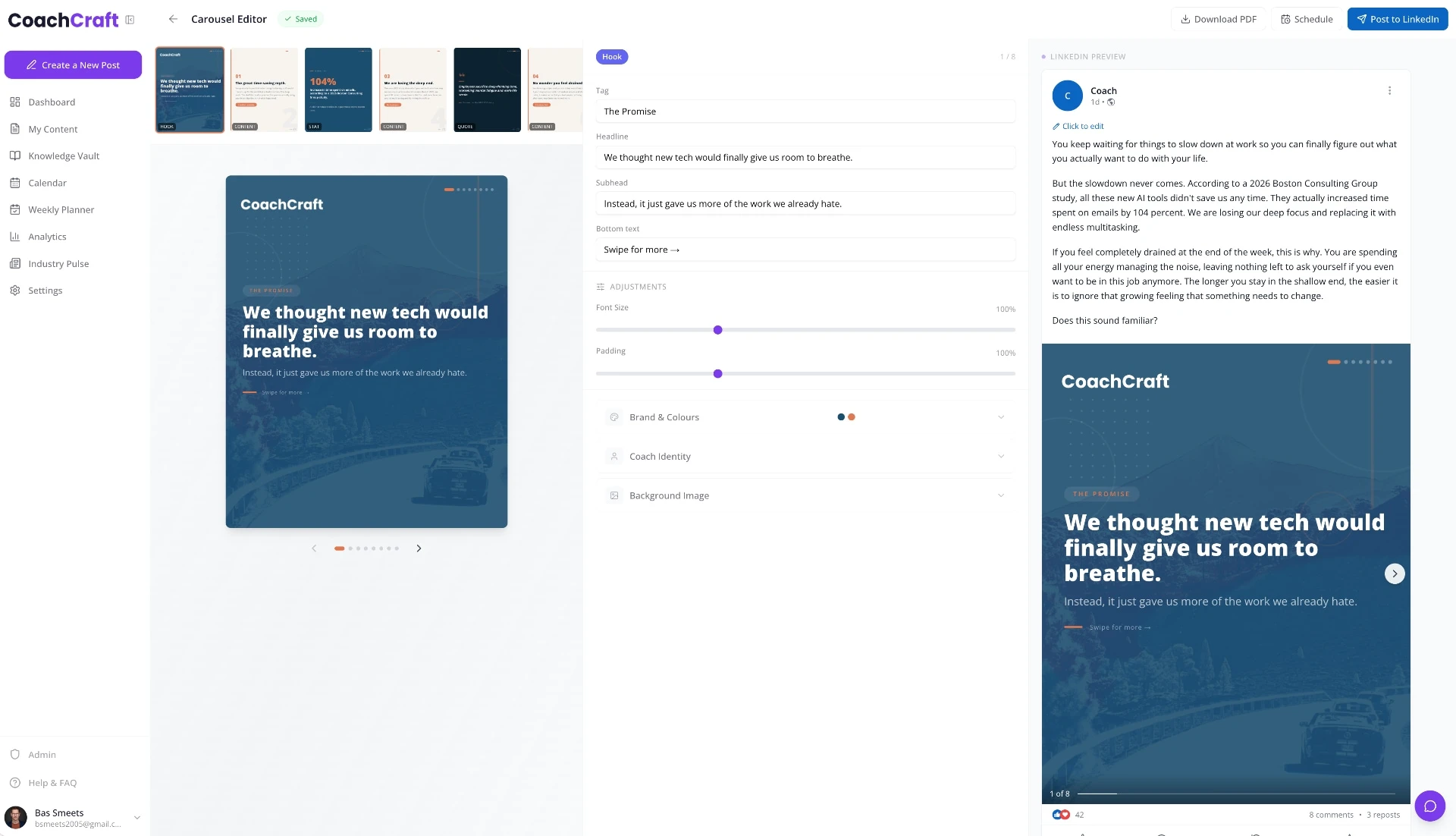
Carousel structure for a coaching framework
Slide 1: "The 5-question framework I use in every first coaching session" (hook). Slide 2: "Question 1: What would have to be true for you to feel satisfied in a year?" Slide 3: "Question 2: What are you avoiding that you know you should face?" Slides 4-6: Questions 3-5, one per slide. Slide 7: "Save this for your next discovery call." Clean, repeatable, useful.
How long should a LinkedIn carousel be?
Six to ten slides is the range that works for most coaching carousels. Under five slides and there is not enough content to justify the format over a text post. Over twelve slides and completion rates drop sharply.
The right length is however many slides it takes to make your point clearly, with one point per slide. Count your points first. Each one is a slide. If you have four points, make four slides plus a hook and a CTA. That is six slides total.

What is the biggest mistake coaches make with LinkedIn carousels?
Treating them like a text post with pictures. A carousel with dense paragraphs on each slide is harder to read than a text post and looks worse. The carousel format only works when you lean into its constraints: visual, brief, one idea at a time.
The second most common mistake is a weak first slide. If the hook slide does not make someone want to swipe, nobody sees the rest of the carousel. Spend as much time on slide 1 as on all the other slides combined.
How to write LinkedIn hooks that stop the scroll applies directly to carousel hook slides. The same principles work.
How often should coaches post carousels?
One carousel per week is enough, and for some coaches one per two weeks is the right cadence given the production time. Carousels take longer to make than text posts. If the choice is between posting a mediocre carousel and a strong text post, post the text post.
A mix of one carousel per week with two text posts tends to work well. The text posts build reach through frequent posting. The carousel builds saves and shares, which extends the reach of your best frameworks over time.
CoachCraft helps coaches turn their frameworks and processes into carousel-ready content without starting from a blank page. Try it free at coachcraft.io.
Frequently asked questions
What is a LinkedIn carousel?
A multi-slide PDF uploaded as a document post on LinkedIn. Readers swipe through the slides directly in their feed. Carousels get higher save and share rates than text posts, making them useful for framework and process content.
How do I make a LinkedIn carousel?
Design your slides in Canva (or any design tool), export as PDF, and upload as a document post on LinkedIn. Select your PDF, write your hook text in the post caption, and publish. LinkedIn renders it as a swipeable carousel automatically.
How many slides should a LinkedIn carousel have?
Six to ten slides for most coaching carousels. One hook slide, four to eight content slides with one point each, and a final call-to-action slide. Under five feels thin; over twelve and completion rates drop.
What size should LinkedIn carousel slides be?
1080x1080 pixels (square) or 1080x1350 pixels (portrait) work best across devices. Portrait format takes up more screen space on mobile and tends to perform slightly better. Square is easier to design and still performs well.
Do LinkedIn carousels get more reach than text posts?
Not necessarily more reach, but more saves and shares. Text posts tend to have higher overall impressions. Carousels have higher engagement depth from people who do engage. Use both formats for different content types rather than treating one as superior.
What should the last slide of a LinkedIn carousel say?
Something specific and actionable. "Save this for your next content session." "Try question 3 with your next client." Or a soft mention of how to work with you or learn more. Avoid generic "follow me for more tips" endings — they feel transactional and rarely work.
Can I repost a carousel on LinkedIn?
Not natively. But you can reshare your original post, or reference the carousel in a later text post. High-performing carousels are worth resharing every three to six months since most of your current audience will not have seen it.
For a complete overview, see our The LinkedIn Content Strategy for Coaches: What Actually Works in 2026.
Create LinkedIn Content That Converts
Join career coaches using CoachCraft to build their LinkedIn presence.
Get Started Free